Beginner’s Guide to NotebookLM
A Simple & Practical Guide to Using Google’s AI-Powered Knowledge and Research Assistant
Beginner’s Guide to NotebookLM
Artificial Intelligence is helping millions of people learn faster, write better, and become more productive.
Most AI assistants answer questions using their general knowledge.
But what if you wanted an AI assistant that could answer questions based on your own documents?
That’s exactly what Google NotebookLM is designed to do.
NotebookLM is one of the most innovative AI tools available today because it transforms your personal documents into an intelligent knowledge assistant.
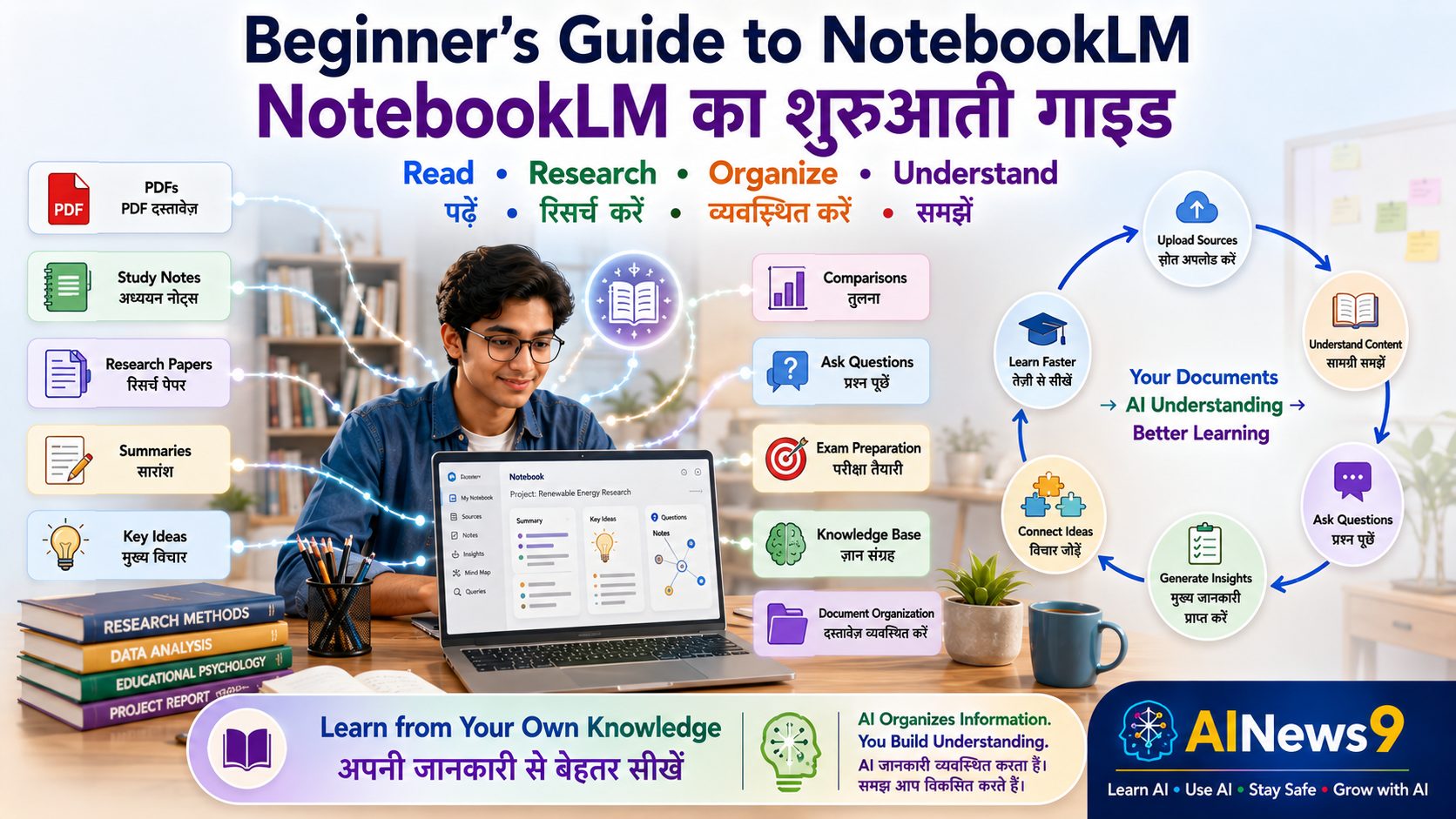
Instead of asking general questions, you can upload your own:
- PDF files
- Study notes
- Research papers
- Google Docs
- Meeting notes
- Company documents
- Books
- Reports
- Project documentation
NotebookLM then understands those documents and answers questions based on the information you’ve provided.
Think of it as having an intelligent research assistant that has already read all of your documents and is ready to answer your questions anytime.
Whether you’re a student preparing for exams, a teacher creating lesson plans, a researcher reviewing papers, a professional analyzing reports, or a business owner organizing company knowledge, NotebookLM can help you work faster and smarter.
The best part?
You don’t need to be an AI expert.
If you know how to upload a document and ask a question, you can start using NotebookLM.
In this practical guide, you’ll learn how NotebookLM works, why it’s different from other AI assistants, how to use it effectively, and how to make it your personal AI-powered knowledge companion.
👥 Who Should Read This
This guide is ideal for:
- 🎓 Students
- 👩🏫 Teachers
- 📚 Researchers
- 💼 Professionals
- ✍️ Writers
- 🏪 Small Business Owners
- 👨👩👧 Parents
- 👴 Senior Citizens
- 📖 Anyone who works with documents or wants to learn more efficiently
No previous AI experience is required.
📖 What You’ll Learn
By the end of this guide, you’ll be able to:
- Understand what NotebookLM is.
- Learn how NotebookLM differs from other AI assistants.
- Create your first Notebook.
- Upload and organize documents.
- Ask intelligent questions based on your own files.
- Discover practical real-world use cases.
- Use NotebookLM safely and responsibly.
📚 In This Guide
🚀 What is NotebookLM?
NotebookLM is Google’s AI-powered research and knowledge assistant.
Unlike traditional AI chatbots that answer questions using general knowledge, NotebookLM focuses on your own information.
You begin by creating a notebook and uploading your own sources.
These sources may include:
- PDF documents
- Research papers
- Class notes
- Google Docs
- Books
- Reports
- Meeting notes
- Training manuals
- Project documentation
NotebookLM studies these materials and uses them as the foundation for answering your questions.
This means your conversations are based primarily on the knowledge contained in your uploaded documents.
For learners, researchers, and professionals, this creates a much more focused and reliable experience.
If you’d like to understand the AI technologies that make NotebookLM possible, explore these AINews9 lessons:
- L004 – What are Large Language Models (LLMs)?
- L006 – What are AI Agents?
- U005 – Beginner’s Guide to ChatGPT
- U006 – Beginner’s Guide to Gemini
These lessons provide useful background before exploring NotebookLM’s unique capabilities.
💻 Getting Started with NotebookLM
Getting started is easier than many people expect.
If you already have a Google account, you can begin creating your first AI-powered knowledge notebook in just a few minutes.
Create Your First Notebook
After signing in, create a new notebook.
Think of each notebook as a dedicated workspace for a particular subject or project.
For example:
- Biology Revision
- AI Research
- Project Documentation
- Business Strategy
- Marketing Campaign
- Product Training
- Personal Knowledge Library
Each notebook keeps related documents together, making information easier to organize and explore.
Upload Your Sources
The real power of NotebookLM begins when you upload your own materials.
You can upload resources such as:
- Class notes
- Research papers
- PDF books
- Google Docs
- Company policies
- Meeting minutes
- Product manuals
- Project reports
NotebookLM reads and understands these documents before answering your questions.
The better your source material, the better your AI assistant becomes.
Understanding the NotebookLM Interface
NotebookLM has a clean and organized interface designed for knowledge work.
You’ll typically see:
- Your uploaded sources
- Conversation area
- Question input box
- AI-generated summaries
- Notebook organization tools
Unlike a standard chatbot, NotebookLM always keeps your uploaded documents at the center of the conversation.
Everything revolves around your knowledge base.
📚 Why NotebookLM is Different
Many beginners assume NotebookLM is just another chatbot.
It isn’t.
Understanding this difference is the key to using NotebookLM effectively.
ChatGPT
Answers questions using its general AI knowledge.
Gemini
Combines AI conversations with Google’s ecosystem and productivity tools.
Claude
Excels at thoughtful writing, document analysis, and professional communication.
NotebookLM
Answers questions primarily using your uploaded documents.
Instead of asking:
“Explain Artificial Intelligence.”
You might upload:
- Your AI textbook
- Your classroom notes
- Research papers
- Training material
Then ask:
“Based on my uploaded documents, explain Artificial Intelligence in simple language and highlight the most important concepts for tomorrow’s exam.”
The response is grounded in your own learning materials, making NotebookLM an outstanding study, research, and knowledge management tool.
💡 AINews9 Smart Tip
Think of NotebookLM as your personal AI librarian. The more high-quality documents you provide, the more knowledgeable and useful your AI assistant becomes.
💬 Your First Conversation with NotebookLM
Once your documents have been uploaded, the conversation becomes surprisingly natural.
For example, imagine you’ve uploaded your class notes and textbook chapter on climate change.
You can ask:
You:
“Summarize Chapter 4 in simple language.”
NotebookLM provides a summary based on your uploaded materials.
Now continue the conversation.
Ask:
“Create ten revision questions from this chapter.”
Then ask:
“Which topics are most likely to appear in an exam?”
Or:
“Create a one-page revision sheet using only the information in my uploaded notes.”
Notice the difference.
NotebookLM isn’t relying on general knowledge.
It’s helping you understand your own documents, making it an incredibly powerful learning and research companion.
📈 Practical Ways to Use NotebookLM
NotebookLM is much more than an AI chatbot.
It is a personal knowledge assistant that helps you understand, organize, summarize, and interact with your own information.
Whether you’re preparing for an exam, reviewing research papers, organizing company documents, or managing project knowledge, NotebookLM helps you find answers faster by working directly with your uploaded sources.
Let’s explore some practical ways to use NotebookLM.
🎓 Smarter Studying for Students
Students often struggle with large textbooks, lengthy class notes, and multiple study materials.
NotebookLM makes studying easier by turning all these resources into an interactive AI tutor.
You can upload:
- Class notes
- Textbooks
- PDF study material
- Lecture slides
- Teacher handouts
- Previous question papers
Once uploaded, NotebookLM can help you:
- Summarize chapters
- Explain difficult concepts
- Generate revision notes
- Create practice questions
- Prepare flashcards
- Identify important topics
- Compare concepts across chapters
Instead of searching through hundreds of pages, you simply ask questions.
💬 Try This in NotebookLM
Using my uploaded Biology textbook and classroom notes, create a 7-day revision plan for Chapter 5 and generate 20 practice questions with answers.
👩🏫 Helping Teachers Teach Better
Teachers spend significant time preparing lesson plans, reviewing teaching material, and creating assessments.
NotebookLM can simplify many of these tasks.
Teachers can upload:
- Lesson plans
- Curriculum documents
- Teacher guides
- Student worksheets
- Reference books
- Assessment material
NotebookLM can then help:
- Summarize curriculum topics
- Generate lesson plans
- Create quizzes
- Develop classroom activities
- Prepare revision material
- Compare learning objectives
- Organize teaching resources
Instead of manually searching through multiple files, teachers receive answers directly from their own educational content.
💬 Try This in NotebookLM
Based on my uploaded Class 8 Science lesson plans, create a 45-minute classroom activity on photosynthesis with discussion questions and a short quiz.
📚 Supporting Research and Literature Reviews
Researchers often work with dozens—or even hundreds—of research papers.
NotebookLM helps organize and analyze large collections of information.
Researchers can upload:
- Journal articles
- Research papers
- Conference proceedings
- Literature reviews
- Technical reports
- Thesis documents
NotebookLM can assist by:
- Summarizing papers
- Comparing research findings
- Identifying common themes
- Extracting important quotations
- Organizing literature reviews
- Highlighting research gaps
This saves valuable time while improving the quality of research analysis.
💬 Try This in NotebookLM
Using my uploaded research papers, compare the major findings, identify common conclusions, and summarize the remaining research gaps in a table.
💼 Improving Professional Productivity
Professionals often deal with hundreds of pages of documentation.
NotebookLM makes it easier to understand, organize, and retrieve important information.
Examples include:
- Project documentation
- Meeting minutes
- Company policies
- Technical manuals
- Product documentation
- Client reports
- Compliance documents
- Standard Operating Procedures (SOPs)
Instead of manually searching multiple documents, simply ask NotebookLM.
It quickly locates relevant information from your uploaded sources.
💬 Try This in NotebookLM
Using my uploaded project documents, list all pending action items, project risks, responsible owners, and deadlines in a structured table.
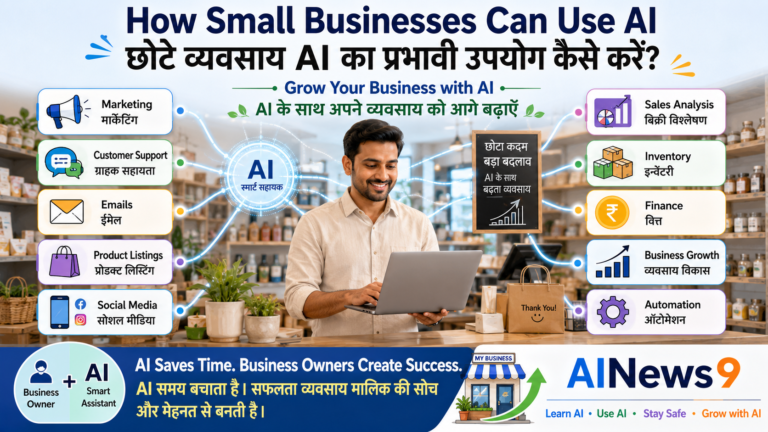
🏪 Managing Business Knowledge
Small businesses often store valuable knowledge across many documents.
NotebookLM helps organize this information into one searchable knowledge base.
Business owners can upload:
- Employee handbooks
- Company policies
- Product catalogs
- Customer FAQs
- Training manuals
- Sales presentations
- Business proposals
- Marketing plans
NotebookLM can then answer questions based on these documents, helping employees quickly find reliable information.
This improves consistency, reduces training time, and supports better decision-making.
💬 Try This in NotebookLM
Based on my uploaded employee handbook, create a quick reference guide summarizing leave policies, office timings, code of conduct, and employee benefits.
📖 Building Your Personal Knowledge Library
NotebookLM is also an excellent tool for lifelong learners.
You can build personal notebooks around topics that interest you.
Examples include:
- Artificial Intelligence
- Investing
- Personal Finance
- Health & Nutrition
- History
- Leadership
- Productivity
- Photography
- Gardening
- Travel
Instead of reading everything repeatedly, NotebookLM helps you understand, organize, and retrieve information whenever you need it.
Your notebook gradually becomes your own AI-powered knowledge library.
💬 Try This in NotebookLM
Using my uploaded personal finance books, explain the differences between mutual funds, ETFs, and index funds using simple language and a comparison table.
🎧 Audio Overviews – One of NotebookLM’s Most Powerful Features
One of NotebookLM’s most innovative capabilities is Audio Overviews.
Instead of only reading documents, NotebookLM can transform your uploaded information into a podcast-style audio discussion.
Imagine uploading:
- A research paper
- A textbook chapter
- Meeting notes
- A project report
- A training manual
NotebookLM can generate an audio conversation that explains the key ideas in a natural and engaging way.
This feature is especially useful when:
- 🚗 Travelling
- 🚶 Walking
- 🏃 Exercising
- 🍳 Cooking
- ☕ Taking a break
- 🎧 Learning while multitasking
For many learners, listening to information can improve understanding and retention.
It transforms passive reading into an interactive learning experience.
💡 AINews9 Smart Tip
Audio Overviews are perfect for busy learners. Instead of rereading long documents, you can listen to AI-generated summaries while commuting or exercising, making better use of your time.
🎯 Tips for Better NotebookLM Responses
NotebookLM works best when your source material is well organized.
Here are a few simple habits that will improve your experience:
- Upload high-quality documents.
- Group related information into the same notebook.
- Give notebooks meaningful names.
- Ask specific questions.
- Continue the conversation with follow-up questions.
- Compare multiple uploaded documents.
- Review AI-generated summaries before using them.
Remember:
The quality of NotebookLM’s answers depends largely on the quality of the documents you upload.
💡 AINews9 Smart Tip
Think of NotebookLM as an intelligent research assistant. The better you organize your knowledge, the more valuable your AI assistant becomes.
⚠️ Understanding NotebookLM’s Limitations
NotebookLM is one of the most powerful AI tools for learning, research, and knowledge management.
However, like every Artificial Intelligence system, it has limitations.
Understanding these limitations helps you use NotebookLM more effectively and responsibly.
NotebookLM Depends on Your Documents
Unlike many AI assistants that answer questions using general knowledge, NotebookLM primarily relies on the documents you upload.
This means:
- High-quality documents produce better answers.
- Incomplete or outdated documents may lead to incomplete responses.
- Missing information cannot be magically created.
Think of NotebookLM as an expert researcher.
If you give it excellent source material, it produces excellent results.
AI Can Still Make Mistakes
Although NotebookLM often generates accurate summaries and explanations, it can occasionally:
- Misinterpret information.
- Miss important details.
- Produce incomplete summaries.
- Oversimplify complex topics.
- Make reasoning errors.
Always review AI-generated summaries before using them for important work.
💡 AINews9 Smart Tip
NotebookLM helps you understand your documents faster, but you remain responsible for reviewing and validating important information.
Protect Sensitive Information
Before uploading documents, think carefully about their contents.
Avoid uploading:
- Passwords
- Banking information
- Aadhaar or PAN details
- Medical records
- Confidential legal agreements
- Sensitive customer data
- Company secrets
- Proprietary business information
If you’re working with confidential organizational documents, always follow your organization’s AI and information security policies.
Human Judgment Remains Essential
NotebookLM can summarize, organize, and explain information.
However, it cannot replace:
- Critical thinking
- Professional expertise
- Business judgment
- Ethical decision-making
- Human creativity
- Real-world experience
The best results come from combining NotebookLM’s speed with your own knowledge and expertise.
🚫 Common Beginner Mistakes
Many first-time users don’t realize how NotebookLM is different from traditional AI chatbots.
Avoid these common mistakes to get better results.
| ❌ Common Mistake | ✅ Better Practice |
|---|---|
| Uploading poor-quality documents | Upload clear, complete, and well-organized source material |
| Creating one notebook for everything | Create separate notebooks for different subjects or projects |
| Asking very general questions | Ask questions related to your uploaded documents |
| Expecting NotebookLM to replace internet search | Use it as a document-based knowledge assistant |
| Ignoring document citations | Check the original sources when accuracy is important |
| Trusting every AI-generated summary without review | Verify important information before using it |
Remember:
NotebookLM becomes smarter when your knowledge is better organized.
🌟 Best Practices for Everyday Use
The following habits will help you get the most value from NotebookLM.
- Create one notebook for each subject or project.
- Upload trusted and well-structured documents.
- Organize related files together.
- Ask clear and specific questions.
- Use follow-up questions to explore topics in greater depth.
- Compare multiple documents to identify similarities and differences.
- Use Audio Overviews for revision and learning.
- Review AI-generated summaries before sharing or publishing them.
As your collection of notebooks grows, NotebookLM gradually becomes your personal AI-powered knowledge library.
📝 Key Takeaways
Congratulations!
You’ve completed your beginner’s guide to NotebookLM.
Here are the most important lessons to remember:
- ✅ NotebookLM is your personal AI-powered knowledge and research assistant.
- ✅ It answers questions primarily using your own uploaded documents.
- ✅ It helps students, teachers, researchers, professionals, and businesses organize information more effectively.
- ✅ Audio Overviews transform documents into easy-to-listen podcast-style summaries.
- ✅ Better documents produce better AI responses.
- ✅ Always verify important AI-generated information.
- ✅ Never upload confidential or sensitive information to public AI systems.
- ✅ Human judgment remains essential when using Artificial Intelligence.
❓ Frequently Asked Questions
1. Is NotebookLM free to use?
Google provides NotebookLM with free access for many users, although features and availability may vary by region and account type.
2. How is NotebookLM different from ChatGPT?
ChatGPT answers questions using its general AI knowledge.
NotebookLM primarily answers questions based on the documents that you upload, making it ideal for study, research, and knowledge management.
3. What types of documents can I upload?
NotebookLM supports various document types, including PDFs, Google Docs, research papers, notes, reports, manuals, and other supported sources.
4. Can NotebookLM summarize long documents?
Yes.
One of NotebookLM’s greatest strengths is summarizing lengthy documents while identifying key ideas, action items, and important concepts.
5. What are Audio Overviews?
Audio Overviews convert your uploaded documents into AI-generated podcast-style conversations, making it easier to learn while travelling, exercising, or multitasking.
6. Is NotebookLM suitable for businesses?
Absolutely.
Businesses can use NotebookLM to organize company knowledge, training manuals, policies, project documentation, customer FAQs, and internal knowledge bases.
📚 Trusted Resources for Further Learning
Continue learning from these trusted resources:
- Google NotebookLM
- Google AI
- Google Workspace Learning Center
- Google for Education
- AINews9 Learn AI Series
These resources will help you continue developing practical AI skills while learning how to manage knowledge more effectively.
💬 Final Thoughts
Information has become one of the world’s most valuable resources.
The challenge today is no longer finding information.
The challenge is understanding it, organizing it, and using it effectively.
NotebookLM helps solve that challenge.
By transforming your own documents into an intelligent knowledge assistant, it allows you to spend less time searching and more time learning, creating, and making informed decisions.
Whether you’re preparing for exams, conducting research, managing business knowledge, or organizing personal learning, NotebookLM can become one of your most valuable AI tools.
Remember:
NotebookLM doesn’t replace your knowledge—it helps you unlock the full value of the knowledge you already have.
As Artificial Intelligence continues to evolve, tools like NotebookLM will play an increasingly important role in helping people learn smarter, work more efficiently, and make better decisions.
🎓 Continue Your AI Journey
Continue expanding your AI skills with these AINews9 lessons.
Learn AI
- L004 – What are Large Language Models (LLMs)?
- L005 – What is ChatGPT?
- L006 – What are AI Agents?
- L007 – What is Prompt Engineering?
Use AI
- U001 – How Students Can Use AI Effectively
- U002 – How Teachers Can Use AI in Education
- U003 – How Professionals Can Use AI at Work
- U004 – How Small Businesses Can Use AI
- U005 – Beginner’s Guide to ChatGPT
- U006 – Beginner’s Guide to Gemini
- U007 – Beginner’s Guide to Claude
Stay Safe
- S001 – AI Safety for Beginners
- S005 – AI & Data Privacy
- S006 – Safe Prompting Practices
Grow with AI
- G001 – AI Skills for Everyone
- G006 – Future of Work in the AI Era
- G008 – AI for Business Growth
Every lesson helps you become a more confident, responsible, and future-ready AI user.
🏛️ About AINews9
AINews9 is India’s AI Literacy Platform with a mission to make Artificial Intelligence Simple, Useful & Safe for Every Indian.
Through beginner-friendly lessons, practical guides, AI safety awareness, real-world examples, and responsible AI education, AINews9 empowers:
- 🎓 Students
- 👩🏫 Teachers
- 👨👩👧 Parents
- 💼 Professionals
- 👴 Senior Citizens
- 🏪 Small Businesses
Our four learning pillars guide every lesson:
- Learn AI
- Use AI
- Stay Safe
- Grow with AI
Together, let’s build an AI-literate India—one document, one learner, and one informed decision at a time.