10 Best AI Tools for Beginners
A Simple & Practical Guide to Choosing the Right AI Tool for Learning, Productivity, Creativity, and Everyday Life
10 Best AI Tools for Beginners
Artificial Intelligence has become one of the most exciting technologies of our time.
Today, there are hundreds of AI tools that can help you write, learn, create presentations, analyze documents, design graphics, summarize meetings, conduct research, and improve productivity.
But for beginners, this creates a new challenge.
Which AI tool should I start with?
Should you use ChatGPT?
Is Google Gemini better?
What about Claude, NotebookLM, Microsoft Copilot, or Canva AI?
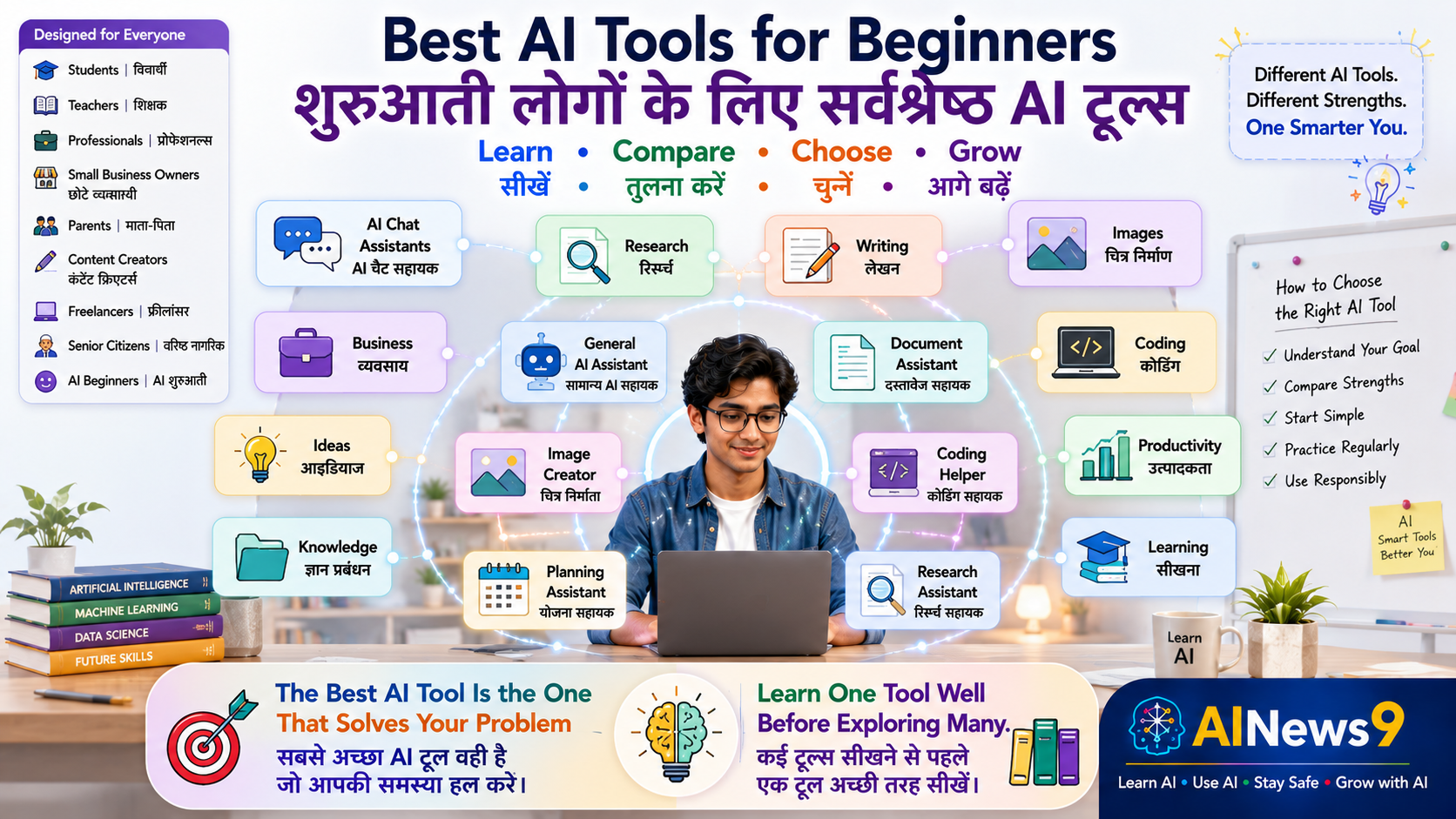
The truth is that there is no single AI tool that is best for everything.
Each tool has its own strengths, and choosing the right one depends on what you want to achieve.
For example:
- A student may need help understanding difficult subjects.
- A teacher may want to create lesson plans and quizzes.
- A professional may need assistance with reports and emails.
- A business owner may want help with marketing and customer communication.
- A content creator may need support for writing and designing presentations.
The good news is that you don’t need to learn every AI tool at once.
Starting with just a few beginner-friendly tools can dramatically improve your productivity and confidence.
In this practical guide, you’ll discover the 10 best AI tools for beginners, understand what each tool does, learn who should use it, compare their strengths, and choose the right AI assistant for your needs.
By the end of this article, you’ll know exactly where to begin your AI journey.
👥 Who Should Read This
This guide is perfect for:
- 🎓 Students
- 👩🏫 Teachers
- 💼 Professionals
- 👨👩👧 Parents
- 👴 Senior Citizens
- 🏪 Small Business Owners
- 🎨 Content Creators
- 📚 Anyone starting their AI journey
No technical background is required.
📖 What You’ll Learn
By the end of this guide, you’ll be able to:
- Discover the best AI tools for beginners.
- Understand the strengths of each tool.
- Choose the right AI assistant for your needs.
- Compare popular AI tools side by side.
- Learn which tools are free and which offer premium features.
- Avoid common beginner mistakes.
- Begin using AI with confidence.
📚 In This Guide
🚀 Why Choosing the Right AI Tool Matters
Many beginners assume that one AI tool can do everything.
In reality, each AI tool has been designed with different strengths.
Some are excellent for writing.
Others are better for research.
Some work best inside Google’s ecosystem, while others integrate seamlessly with Microsoft Office.
Understanding these differences helps you save time and choose the tool that best matches your goals.
Think of AI tools like everyday equipment.
You wouldn’t use a screwdriver to cut wood or a hammer to tighten a screw.
Similarly, different AI tools are designed for different types of work.
Choosing the right tool makes your experience faster, easier, and more productive.
🏆 Our Selection Criteria
To help beginners, AINews9 evaluated AI tools using five practical criteria.
Each recommended tool performs well in one or more of these areas.
✅ Beginner Friendly
Can someone with no technical knowledge start using it immediately?
✅ Practical Value
Does it solve real everyday problems?
✅ Ease of Learning
Is the interface simple and easy to understand?
✅ Free Features
Can beginners explore the tool without paying?
✅ Productivity Benefits
Does the tool genuinely save time or improve the quality of work?
Only tools that scored highly across these criteria are included in this guide.
🏅 1. ChatGPT
What It Does
ChatGPT is one of the world’s most popular AI assistants.
It can answer questions, explain concepts, write content, brainstorm ideas, summarize information, assist with coding, and support everyday learning and productivity.
For many beginners, ChatGPT is the easiest place to start exploring Artificial Intelligence.
⭐ AINews9 Rating
| Category | Rating |
|---|---|
| Beginner Friendly | ⭐⭐⭐⭐⭐ |
| Ease of Use | ⭐⭐⭐⭐⭐ |
| Learning Value | ⭐⭐⭐⭐⭐ |
| Productivity | ⭐⭐⭐⭐⭐ |
| Free Features | ⭐⭐⭐⭐☆ |
✅ Best For
- Students
- Teachers
- Professionals
- Writers
- Parents
- Everyday AI users
🌟 Key Features
- Natural conversations
- Writing assistance
- Brainstorming
- Learning support
- Coding help
- Content creation
- Productivity
💰 Free Version
Yes
👍 Pros
- Extremely easy to use
- Excellent for beginners
- Supports many everyday tasks
- Large learning community
⚠️ Limitations
- Important information should always be verified.
- Some advanced capabilities require a paid subscription.
🏅 AINews9 Recommendation
If you’re completely new to AI, ChatGPT is one of the best places to begin.
🏅 2. Google Gemini
What It Does
Google Gemini combines Artificial Intelligence with Google’s ecosystem.
It works especially well for people who regularly use Gmail, Google Docs, Google Drive, Google Search, and other Google services.
Gemini is particularly useful for research, writing, planning, and productivity within the Google ecosystem.
⭐ AINews9 Rating
| Category | Rating |
|---|---|
| Beginner Friendly | ⭐⭐⭐⭐⭐ |
| Ease of Use | ⭐⭐⭐⭐⭐ |
| Learning Value | ⭐⭐⭐⭐☆ |
| Productivity | ⭐⭐⭐⭐⭐ |
| Free Features | ⭐⭐⭐⭐☆ |
✅ Best For
- Students
- Teachers
- Professionals
- Google Workspace users
- Researchers
🌟 Key Features
- Google Search integration
- Gmail assistance
- Google Docs support
- Google Workspace productivity
- Research assistance
- Writing support
💰 Free Version
Yes
👍 Pros
- Excellent integration with Google services
- Strong productivity features
- Easy for Google users
⚠️ Limitations
- Best experience is achieved within Google’s ecosystem.
🏅 AINews9 Recommendation
An excellent choice if you already use Google Workspace every day.
🏅 3. Claude
What It Does
Claude is designed for thoughtful writing, document analysis, professional communication, and understanding complex information.
It performs especially well when working with long documents, reports, research papers, and structured writing.
Many professionals, writers, researchers, and educators appreciate Claude for its clear explanations and well-organized responses.
⭐ AINews9 Rating
| Category | Rating |
|---|---|
| Beginner Friendly | ⭐⭐⭐⭐☆ |
| Ease of Use | ⭐⭐⭐⭐⭐ |
| Learning Value | ⭐⭐⭐⭐⭐ |
| Productivity | ⭐⭐⭐⭐⭐ |
| Free Features | ⭐⭐⭐⭐☆ |
✅ Best For
- Professionals
- Writers
- Researchers
- Teachers
- Students working with long documents
🌟 Key Features
- Long-form writing
- Document summarization
- Research assistance
- Professional communication
- Thoughtful explanations
💰 Free Version
Yes
👍 Pros
- Excellent writing quality
- Strong reasoning abilities
- Ideal for professional documentation
⚠️ Limitations
- Some advanced features may require a paid subscription.
🏅 AINews9 Recommendation
Choose Claude if your work involves writing, analysis, research, or professional documentation.
🏅 4. Google NotebookLM
What It Does
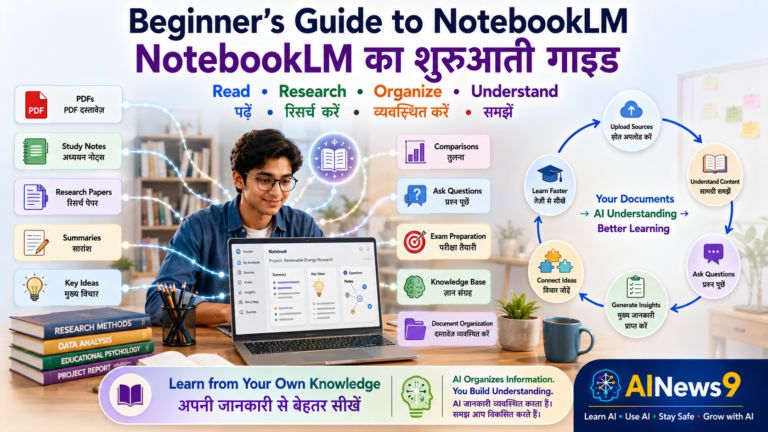
NotebookLM is Google’s AI-powered knowledge and research assistant.
Unlike traditional AI chatbots, NotebookLM works with your own documents.
You can upload:
- PDF files
- Research papers
- Class notes
- Google Docs
- Meeting notes
- Company documents
- Books
- Reports
NotebookLM then answers questions based on those documents, making it one of the best AI tools for learning and knowledge management.
⭐ AINews9 Rating
| Category | Rating |
|---|---|
| Beginner Friendly | ⭐⭐⭐⭐☆ |
| Ease of Use | ⭐⭐⭐⭐☆ |
| Learning Value | ⭐⭐⭐⭐⭐ |
| Productivity | ⭐⭐⭐⭐⭐ |
| Free Features | ⭐⭐⭐⭐⭐ |
✅ Best For
- Students
- Teachers
- Researchers
- Professionals
- Knowledge Workers
🌟 Key Features
- Document-based AI
- Research assistant
- AI summaries
- Audio Overviews
- Knowledge management
- Citation support
💰 Free Version
Yes
👍 Pros
- Excellent for studying
- Outstanding research companion
- Organizes large collections of information
⚠️ Limitations
- Works best when you upload high-quality documents.
🏅 AINews9 Recommendation
Perfect for students, researchers, teachers, and professionals who regularly work with documents and knowledge.
🏅 5. Microsoft Copilot
What It Does
Microsoft Copilot brings AI directly into Microsoft 365 applications such as Word, Excel, PowerPoint, Outlook, and Teams.
It helps users draft documents, analyze spreadsheets, summarize meetings, create presentations, and improve workplace productivity.
⭐ AINews9 Rating
| Category | Rating |
|---|---|
| Beginner Friendly | ⭐⭐⭐⭐☆ |
| Ease of Use | ⭐⭐⭐⭐⭐ |
| Learning Value | ⭐⭐⭐⭐☆ |
| Productivity | ⭐⭐⭐⭐⭐ |
| Free Features | ⭐⭐⭐☆☆ |
✅ Best For
- Office Professionals
- Managers
- Business Users
- Microsoft 365 Users
🌟 Key Features
- Word assistance
- Excel analysis
- PowerPoint creation
- Outlook email drafting
- Teams meeting summaries
💰 Free Version
Limited
👍 Pros
- Excellent Office integration
- Significant productivity improvements
- Ideal for enterprise users
⚠️ Limitations
- Full capabilities require Microsoft 365 Copilot licensing.
🏅 AINews9 Recommendation
The best choice for professionals who spend most of their day working with Microsoft Office.
🏅 6. Canva AI
What It Does
Canva AI helps users create professional designs without needing graphic design experience.
It can generate presentations, posters, social media graphics, marketing materials, videos, and educational content using AI-powered design tools.
⭐ AINews9 Rating
| Category | Rating |
|---|---|
| Beginner Friendly | ⭐⭐⭐⭐⭐ |
| Ease of Use | ⭐⭐⭐⭐⭐ |
| Learning Value | ⭐⭐⭐⭐☆ |
| Productivity | ⭐⭐⭐⭐⭐ |
| Free Features | ⭐⭐⭐⭐☆ |
✅ Best For
- Students
- Teachers
- Content Creators
- Entrepreneurs
- Small Businesses
🌟 Key Features
- AI Design
- AI Presentation Creator
- Magic Write
- Image Generation
- Video Editing
- Social Media Templates
💰 Free Version
Yes
👍 Pros
- Extremely beginner-friendly
- Professional templates
- Saves significant design time
⚠️ Limitations
- Some premium templates and AI features require Canva Pro.
🏅 AINews9 Recommendation
An excellent starting point for anyone creating presentations, posters, educational materials, or social media graphics.
🏅 7. Perplexity AI
What It Does
Perplexity AI combines AI-powered conversations with web search to provide researched answers along with source references.
Instead of simply generating responses, it helps users discover reliable information and explore topics in greater depth.
⭐ AINews9 Rating
| Category | Rating |
|---|---|
| Beginner Friendly | ⭐⭐⭐⭐⭐ |
| Ease of Use | ⭐⭐⭐⭐⭐ |
| Learning Value | ⭐⭐⭐⭐⭐ |
| Productivity | ⭐⭐⭐⭐☆ |
| Free Features | ⭐⭐⭐⭐☆ |
✅ Best For
- Students
- Researchers
- Professionals
- Journalists
- Lifelong Learners
🌟 Key Features
- AI Search
- Source Citations
- Research Assistance
- Follow-up Questions
- Web-based Knowledge Discovery
💰 Free Version
Yes
👍 Pros
- Excellent for research
- Provides references
- Easy to verify information
⚠️ Limitations
- Answers depend on publicly available web information.
🏅 AINews9 Recommendation
One of the best AI tools for people who regularly research information online.
🏅 8. Grammarly AI
What It Does
Grammarly AI helps improve writing by checking grammar, spelling, clarity, tone, readability, and professional communication.
Its AI features can also help rewrite sentences and improve the quality of emails, reports, and documents.
⭐ AINews9 Rating
| Category | Rating |
|---|---|
| Beginner Friendly | ⭐⭐⭐⭐⭐ |
| Ease of Use | ⭐⭐⭐⭐⭐ |
| Learning Value | ⭐⭐⭐⭐☆ |
| Productivity | ⭐⭐⭐⭐☆ |
| Free Features | ⭐⭐⭐⭐☆ |
✅ Best For
- Students
- Professionals
- Writers
- Bloggers
- Business Communication
🌟 Key Features
- Grammar correction
- Tone improvement
- AI rewriting
- Writing suggestions
- Email enhancement
💰 Free Version
Yes
👍 Pros
- Improves writing quality
- Easy browser integration
- Professional communication support
⚠️ Limitations
- Advanced AI writing features are available in paid plans.
🏅 AINews9 Recommendation
A valuable companion for anyone who writes emails, reports, assignments, or articles regularly.
🏅 9. Gamma
What It Does
Gamma uses AI to create professional presentations, documents, and web pages from simple text prompts.
Instead of spending hours designing slides, users can quickly generate visually appealing presentations.
⭐ AINews9 Rating
| Category | Rating |
|---|---|
| Beginner Friendly | ⭐⭐⭐⭐⭐ |
| Ease of Use | ⭐⭐⭐⭐⭐ |
| Learning Value | ⭐⭐⭐⭐☆ |
| Productivity | ⭐⭐⭐⭐⭐ |
| Free Features | ⭐⭐⭐⭐☆ |
✅ Best For
- Teachers
- Students
- Consultants
- Professionals
- Entrepreneurs
🌟 Key Features
- AI presentations
- Visual storytelling
- Document generation
- Interactive slides
💰 Free Version
Yes
👍 Pros
- Saves presentation design time
- Professional output
- Easy to edit
⚠️ Limitations
- Advanced branding features require paid plans.
🏅 AINews9 Recommendation
An excellent AI presentation tool for professionals, educators, and students.
🏅 10. Google Translate (AI-Powered)
What It Does
Google Translate helps people communicate across languages using AI-powered translation.
It supports text, voice, conversations, documents, websites, and images in hundreds of languages.
For Indian users, it is particularly useful for translating content between English and regional languages.
⭐ AINews9 Rating
| Category | Rating |
|---|---|
| Beginner Friendly | ⭐⭐⭐⭐⭐ |
| Ease of Use | ⭐⭐⭐⭐⭐ |
| Learning Value | ⭐⭐⭐⭐☆ |
| Productivity | ⭐⭐⭐⭐☆ |
| Free Features | ⭐⭐⭐⭐⭐ |
✅ Best For
- Students
- Travelers
- Teachers
- Professionals
- Parents
- Language Learners
🌟 Key Features
- Text translation
- Voice translation
- Camera translation
- Document translation
- Website translation
💰 Free Version
Yes
👍 Pros
- Supports numerous languages
- Easy to use
- Helpful for multilingual communication
⚠️ Limitations
- Complex or highly technical content may require human review.
🏅 AINews9 Recommendation
A must-have AI tool for anyone who communicates in multiple languages.
📊 AI Tools Comparison Table
| AI Tool | Best For | Free Version | Difficulty |
|---|---|---|---|
| ChatGPT | Everyday AI | ✅ | ⭐ Easy |
| Gemini | Google Workspace | ✅ | ⭐ Easy |
| Claude | Writing & Analysis | ✅ | ⭐ Easy |
| NotebookLM | Research & Knowledge | ✅ | ⭐⭐ Easy |
| Microsoft Copilot | Microsoft 365 | Limited | ⭐⭐ Easy |
| Canva AI | Design & Presentations | ✅ | ⭐ Easy |
| Perplexity AI | AI Search & Research | ✅ | ⭐ Easy |
| Grammarly AI | Better Writing | ✅ | ⭐ Easy |
| Gamma | AI Presentations | ✅ | ⭐ Easy |
| Google Translate | Language Translation | ✅ | ⭐ Easy |
🎯 How to Choose Your First AI Tool
If you’re unsure where to begin, use this simple guide:
| If you want to… | Start with… |
|---|---|
| Learn AI and ask everyday questions | ChatGPT |
| Work with Google apps | Gemini |
| Write reports and analyze documents | Claude |
| Learn from your own documents | NotebookLM |
| Use AI in Microsoft Office | Microsoft Copilot |
| Design presentations and posters | Canva AI |
| Research with sources | Perplexity AI |
| Improve writing | Grammarly AI |
| Create AI presentations | Gamma |
| Translate languages | Google Translate |
💡 Beginner Tips for Choosing AI Tools
If you’re new to Artificial Intelligence, you may feel tempted to try every AI tool available.
However, learning too many tools at once can become confusing and overwhelming.
A better approach is to start with one or two tools that match your needs and gradually expand your AI toolkit as your confidence grows.
Here are some practical tips to help you begin.
🎯 Start with Your Goal
Before choosing an AI tool, ask yourself:
“What problem am I trying to solve?”
For example:
- Want help with homework? → ChatGPT
- Need to work with Google Docs and Gmail? → Gemini
- Write reports and analyze documents? → Claude
- Study from your own notes? → NotebookLM
- Create presentations? → Gamma or Canva AI
- Improve your English writing? → Grammarly AI
Choosing the right tool for your goal is more important than choosing the most popular one.
🚀 Start with Free Versions
Most beginner-friendly AI tools offer free plans.
Use these free versions to:
- Learn the interface.
- Understand the capabilities.
- Practice asking questions.
- Explore different features.
- Decide whether you actually need a paid subscription.
Many beginners discover that the free version is more than sufficient for their daily needs.
💡 AINews9 Smart Tip
Don’t pay for an AI subscription until you clearly understand how the tool improves your daily work or learning.
🧠 Learn One Tool Before Trying Another
Mastering one AI assistant builds confidence.
Instead of switching between five different tools every day, become comfortable with one tool first.
Once you’re confident, add another tool for a different purpose.
For example:
Month 1
- Learn ChatGPT
Month 2
- Add Gemini
Month 3
- Explore NotebookLM
Gradually, you’ll build a powerful AI toolkit without feeling overwhelmed.
🤝 Combine AI Tools for Better Results
Many experienced users combine multiple AI tools in the same workflow.
For example:
- Research information using Perplexity AI.
- Organize your own documents with NotebookLM.
- Draft a report using Claude.
- Improve grammar with Grammarly AI.
- Create a presentation in Gamma or Canva AI.
Each tool contributes its own strengths, resulting in a faster and higher-quality workflow.
⚠️ Common Beginner Mistakes
Many people assume AI will automatically solve every problem.
In reality, AI works best when used thoughtfully and responsibly.
Avoid these common mistakes.
| ❌ Common Mistake | ✅ Better Practice |
|---|---|
| Installing too many AI tools at once | Start with one or two tools |
| Choosing tools based only on popularity | Choose tools based on your needs |
| Expecting one AI tool to do everything | Use different tools for different tasks |
| Blindly trusting AI-generated information | Verify important facts before using them |
| Sharing confidential information | Protect your personal and business data |
| Ignoring regular practice | Use AI consistently to improve your skills |
Remember:
The best AI users aren’t the ones with the most tools—they’re the ones who know how to use the right tool effectively.
🌟 Best Practices for Using AI Tools
Whether you’re using ChatGPT, Gemini, Claude, NotebookLM, or any other AI assistant, these best practices apply.
- Clearly explain your objective.
- Provide enough context.
- Ask follow-up questions.
- Verify important information.
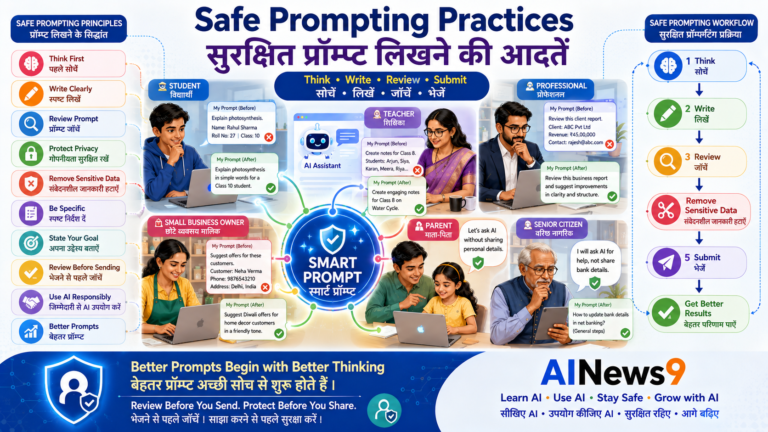
- Protect sensitive data.
- Continue learning new features.
- Combine AI with your own experience and judgment.
Artificial Intelligence works best when it complements—not replaces—human intelligence.
📝 Key Takeaways
Congratulations!
You’ve explored some of today’s most useful AI tools for beginners.
Here are the key lessons to remember:
- ✅ No single AI tool is best for every task.
- ✅ Different AI tools have different strengths.
- ✅ Start with free versions before purchasing subscriptions.
- ✅ Learn one tool well before exploring others.
- ✅ Combine multiple AI tools for better productivity.
- ✅ Always verify important AI-generated information.
- ✅ Protect your privacy and confidential data.
- ✅ Keep learning as AI technology continues to evolve.
❓ Frequently Asked Questions
1. Which AI tool is best for complete beginners?
For most people, ChatGPT is the easiest starting point because of its simple interface and wide range of everyday uses.
2. Do I need to pay for AI tools?
Not necessarily.
Most beginner-friendly AI tools provide free plans that are sufficient for learning and everyday use.
You can upgrade later if your needs grow.
3. Can I use more than one AI tool?
Yes.
In fact, many professionals combine several AI tools to improve different parts of their workflow.
Each tool has its own strengths.
4. Which AI tool is best for students?
Students often benefit from:
- ChatGPT
- Gemini
- NotebookLM
- Grammarly AI
The right choice depends on whether they need learning support, research assistance, or writing help.
5. Which AI tool is best for professionals?
Professionals commonly use:
- Claude
- Microsoft Copilot
- ChatGPT
- Gemini
These tools help with writing, meetings, reports, productivity, and business communication.
6. Is it safe to use AI tools?
Yes, provided you use them responsibly.
Avoid sharing confidential information, verify important outputs, and follow good digital safety practices.
📚 Trusted Resources
To learn more about the AI tools featured in this guide, visit their official resources:
- ChatGPT
- Google Gemini
- Anthropic Claude
- Google NotebookLM
- Microsoft Copilot
- Canva AI
- Perplexity AI
- Grammarly
- Gamma
- Google Translate
Continue your AI learning with the AINews9 Learn AI and Use AI series.
💬 Final Thoughts
Artificial Intelligence is no longer a technology of the future.
It has become a practical tool that can help people learn faster, communicate more effectively, create better content, solve problems, and improve productivity every day.
The good news is that you don’t need to become an AI expert overnight.
Start with one tool.
Practice regularly.
Explore new features.
Gradually add more tools as your confidence grows.
Remember:
The best AI tool isn’t the most powerful one—it’s the one that helps you solve your problems most effectively.
Artificial Intelligence will continue to evolve, but the most valuable skill will always be your ability to choose the right tool, ask thoughtful questions, and apply AI responsibly.
🎓 Continue Your AI Journey
Build your AI skills with these AINews9 lessons.
Learn AI
- L001 – What is Artificial Intelligence?
- L002 – What is Generative AI?
- L004 – What are Large Language Models (LLMs)?
- L005 – What is ChatGPT?
- L006 – What are AI Agents?
- L007 – What is Prompt Engineering?
- L008 – How Does AI Work?
Use AI
- U001 – How Students Can Use AI Effectively
- U002 – How Teachers Can Use AI in Education
- U003 – How Professionals Can Use AI at Work
- U004 – How Small Businesses Can Use AI
- U005 – Beginner’s Guide to ChatGPT
- U006 – Beginner’s Guide to Gemini
- U007 – Beginner’s Guide to Claude
- U008 – Beginner’s Guide to NotebookLM
- U009 – AI for Everyday Productivity
Stay Safe
- S001 – AI Safety for Beginners
- S005 – AI & Data Privacy
- S006 – Safe Prompting Practices
Grow with AI
- G001 – AI Skills for Everyone
- G006 – Future of Work in the AI Era
- G008 – AI for Business Growth
Every lesson helps you become a more confident, responsible, and future-ready AI user.
🏛️ About AINews9
AINews9 is India’s AI Literacy Platform dedicated to making Artificial Intelligence Simple, Useful & Safe for Every Indian.
We help:
- 🎓 Students learn smarter.
- 👩🏫 Teachers teach better.
- 💼 Professionals work more efficiently.
- 👨👩👧 Parents support their families.
- 👴 Senior Citizens confidently embrace technology.
- 🏪 Small Businesses grow with AI.
Our four learning pillars guide every article:
- Learn AI
- Use AI
- Stay Safe
- Grow with AI
Together, let’s build an AI-literate India—one tool, one learner, and one practical step at a time.