How Teachers Can Use AI in Education
A Practical Beginner’s Guide to Smarter Teaching with Artificial Intelligence
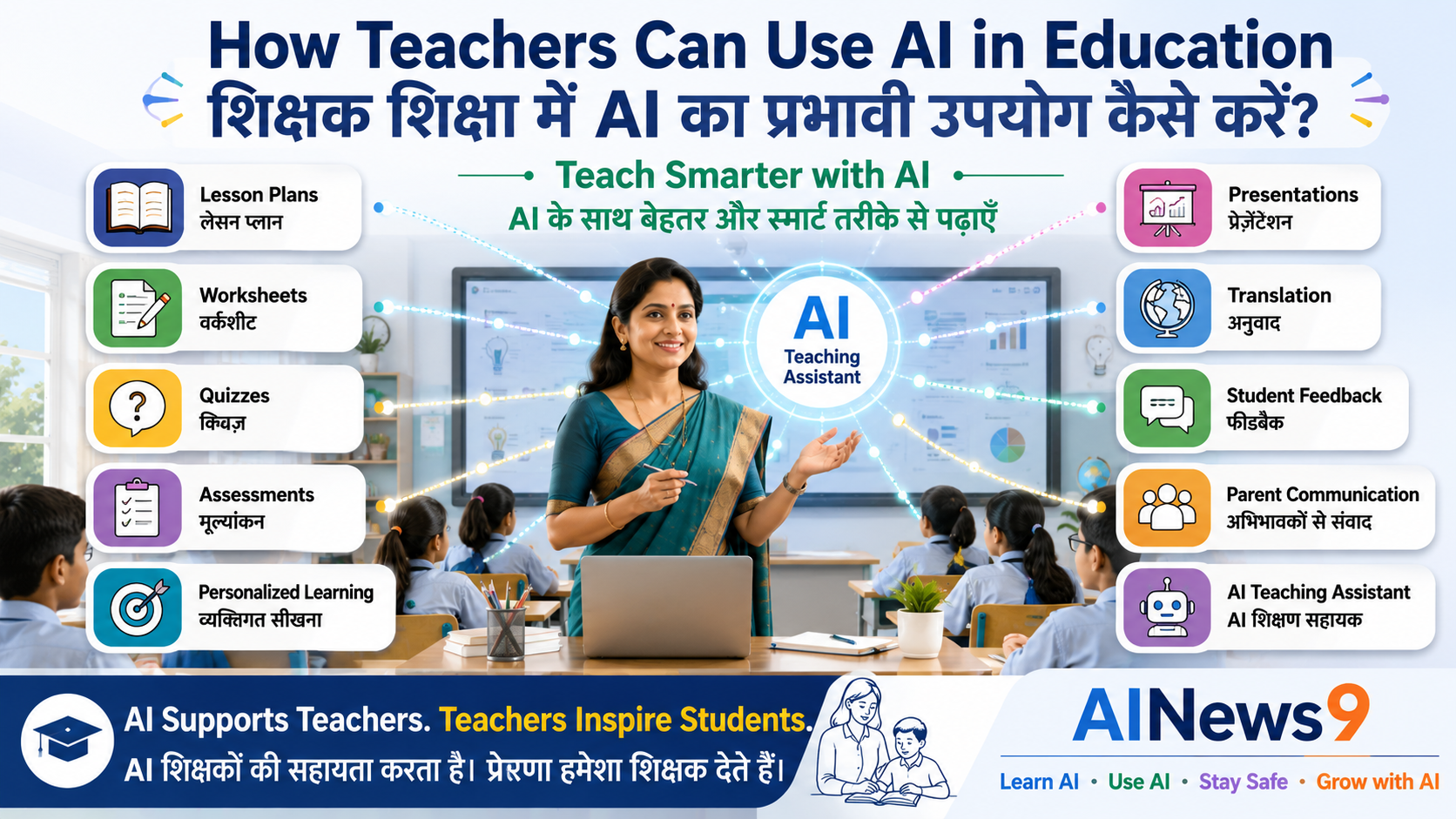
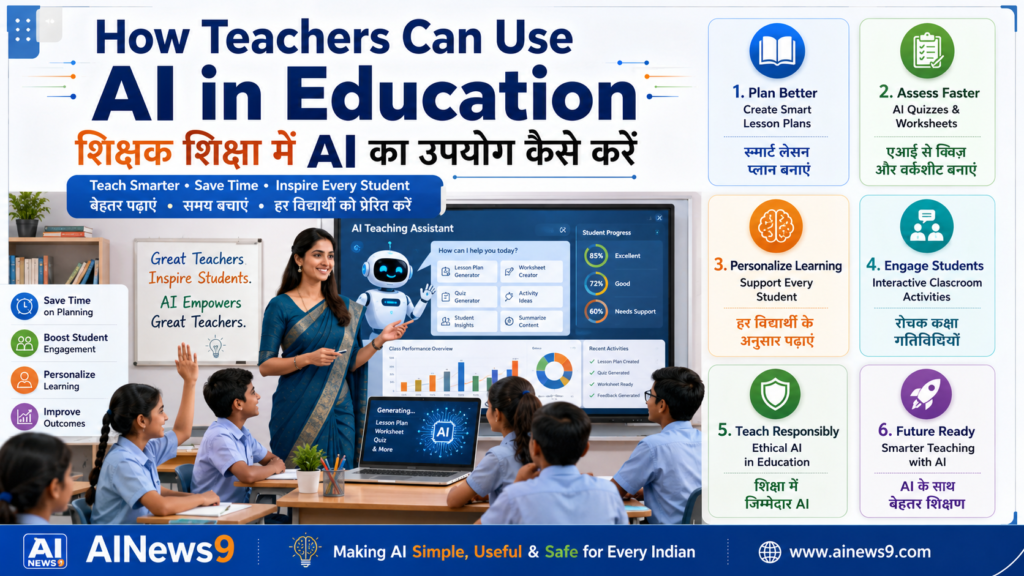
How Teachers Can Use AI in Education: Artificial Intelligence (AI) is transforming education across the world. From lesson planning and content creation to personalized learning and classroom management, AI is helping teachers save time, improve student engagement, and focus more on what matters most—teaching.
However, AI is not here to replace teachers.
Great teachers inspire curiosity, nurture creativity, provide emotional support, and help students develop critical thinking skills. AI cannot replace these uniquely human qualities. Instead, it acts as a powerful teaching assistant that reduces repetitive work and provides new ways to enhance learning.
Whether you’re a school teacher, college lecturer, coaching instructor, trainer, or educator, understanding how to use AI responsibly can help you create richer learning experiences while reducing administrative workload.
In this practical guide “How Teachers Can Use AI in Education”, you’ll discover how teachers can use AI effectively, ethically, and responsibly to improve teaching, support students, and prepare classrooms for the future.
👥 Who Should Read This
This lesson is designed for:
- School teachers (Primary, Middle & Secondary)
- College and university faculty
- Coaching institute educators
- Online instructors
- Corporate trainers
- Academic coordinators and school leaders
No prior knowledge of Artificial Intelligence is required.
📖 What You’ll Learn
By the end of this lesson, you will be able to:
- Understand how AI supports modern teaching.
- Use AI for lesson planning and classroom preparation.
- Create worksheets, quizzes, and assessments faster.
- Personalize learning for students with different abilities.
- Improve classroom engagement using AI tools.
- Learn responsible and ethical AI practices in education.
- Discover AI tools that save time and improve teaching effectiveness.
📚 In This Article
🚀 Why Every Teacher Should Learn AI
Education has always evolved alongside technology.
Teachers have adapted from blackboards to smart boards, from printed textbooks to digital learning platforms, and from traditional classrooms to hybrid and online education.
Artificial Intelligence represents the next major step in this evolution.
Across schools and universities worldwide, educators are using AI to:
- Create engaging lesson plans.
- Develop learning materials in minutes.
- Design quizzes and assessments.
- Personalize learning for students.
- Reduce administrative work.
- Provide faster feedback.
- Support students with diverse learning needs.
Learning AI does not mean becoming a computer programmer.
It means understanding how AI can make teaching more effective while allowing teachers to spend more time mentoring, inspiring, and supporting their students.
In the coming years, AI literacy will become an essential professional skill for educators.
Teachers who embrace AI responsibly will be better prepared to educate the next generation.
👨🏫 AI as Your Teaching Assistant
Many teachers worry that AI may replace classrooms or reduce the importance of educators.
In reality, the opposite is true.
AI performs routine tasks exceptionally well, but it cannot replace the empathy, experience, creativity, and human connection that great teachers bring to every classroom.
Think of AI as a highly efficient teaching assistant.
Just as an assistant helps prepare learning materials, organize activities, and manage administrative work, AI can support teachers by handling repetitive tasks while allowing educators to focus on meaningful student interactions.
For example, instead of spending an hour preparing a worksheet, a teacher can ask AI to create multiple versions tailored to different learning levels and then refine them according to classroom needs.
Example Prompt
“Create a Class 8 Science worksheet on Photosynthesis with 10 multiple-choice questions, 5 short-answer questions, and an answer key.”
AI provides a strong starting point—but the teacher remains responsible for reviewing, improving, and contextualizing the content before sharing it with students.
💡 Teacher’s Classroom Tip
Treat AI-generated content as a first draft, not the final version. Always review it for accuracy, curriculum alignment, and age appropriateness.
📚 Practical Ways Teachers Can Use AI
Artificial Intelligence can support educators throughout every stage of the teaching process—from planning lessons to evaluating student progress.
Used thoughtfully, AI reduces routine workload and allows teachers to dedicate more time to student engagement, creativity, and personalized instruction.
Let’s explore some of the most practical ways teachers can use AI in education.
Creating Better Lesson Plans
Preparing lesson plans is one of the most time-consuming responsibilities for teachers.
AI can help generate structured lesson plans based on:
- Subject
- Grade level
- Learning objectives
- Available teaching time
- Curriculum requirements
- Classroom activities
Teachers can quickly generate lesson outlines and then customize them according to their students’ needs.
Example Prompt
“Create a 45-minute lesson plan on the Water Cycle for Class 6 students, including learning objectives, classroom activities, discussion questions, and homework.”
AI saves preparation time while giving teachers more flexibility to focus on classroom delivery.
Developing Worksheets and Practice Exercises
Creating worksheets manually for every chapter requires considerable effort.
AI can generate:
- Multiple-choice questions
- Fill-in-the-blanks
- Match-the-following exercises
- True or False questions
- Short-answer questions
- Long-answer questions
- Activity sheets
Teachers can also request different difficulty levels for the same topic.
This makes it easier to support both struggling learners and advanced students within the same classroom.
💡 Teacher’s Classroom Tip
Ask AI to generate Easy, Medium, and Advanced versions of the same worksheet to support differentiated learning.
Designing Quizzes and Assessments
Assessment is an essential part of effective teaching.
AI can help teachers prepare:
- Weekly quizzes
- Chapter tests
- Unit assessments
- Revision papers
- Practice examinations
- Oral questioning activities
It can also generate answer keys and explanations, making evaluation faster and more consistent.
Teachers should still review every question to ensure it matches curriculum standards and learning outcomes.
Personalizing Learning for Every Student
Every classroom consists of students with different learning abilities, interests, and learning speeds. Some students quickly grasp new concepts, while others require additional explanations and practice.
Artificial Intelligence enables teachers to create a more personalized learning experience without dramatically increasing their workload.
AI can help teachers:
- Simplify difficult topics for struggling learners.
- Generate advanced questions for high-performing students.
- Recommend additional practice activities.
- Create personalized revision material.
- Develop differentiated assignments.
- Suggest learning resources based on student needs.
Instead of preparing separate material manually, teachers can use AI to generate multiple versions within minutes.
Example Prompt
“Create three versions of a Class 7 Mathematics worksheet on Fractions: Basic, Intermediate, and Advanced.”
Personalized learning helps ensure that every student progresses according to their individual learning needs.
💡 Teacher’s Classroom Tip
AI should support differentiated instruction—not replace your understanding of each student’s strengths and challenges.
Making Classroom Activities More Engaging
Keeping students actively engaged is one of the biggest challenges in modern classrooms.
AI can help teachers create interactive learning experiences by generating:
- Classroom games
- Group discussion topics
- Debate ideas
- Role-play activities
- Project-based learning exercises
- Ice-breaker activities
- Brainstorming sessions
- Creative storytelling exercises
These activities encourage collaboration, creativity, communication, and critical thinking.
Example Prompt
“Suggest five interactive classroom activities to teach environmental conservation to Class 5 students.”
By combining AI-generated ideas with their own teaching experience, educators can create dynamic and enjoyable classroom sessions.
Providing Faster Feedback
Students learn best when they receive timely and constructive feedback.
However, reviewing assignments for large classes can be extremely time-consuming.
AI can assist teachers by:
- Suggesting feedback comments.
- Identifying grammar mistakes.
- Highlighting missing concepts.
- Reviewing writing clarity.
- Generating improvement suggestions.
- Creating model answers.
Teachers should always review AI-generated feedback before sharing it with students to ensure fairness and accuracy.
Remember, meaningful feedback requires professional judgment—something only a teacher can provide.
Creating Presentations and Teaching Materials
Preparing classroom presentations often requires several hours of work.
AI can help teachers quickly develop:
- Presentation outlines.
- Learning objectives.
- Slide content.
- Discussion questions.
- Classroom examples.
- Revision summaries.
- Infographics.
- Speaking notes.
Teachers can then personalize the material based on their teaching style and classroom requirements.
Example Prompt
“Create a 12-slide presentation outline on the Solar System for Class 6 students using simple language and engaging examples.”
AI reduces preparation time while allowing teachers to focus on delivering engaging lessons.
Supporting Parent Communication
Regular communication between teachers and parents plays an important role in student success.
AI can help draft:
- Parent meeting invitations.
- Progress updates.
- Homework reminders.
- School event announcements.
- Student appreciation messages.
- Classroom newsletters.
Teachers should always review and personalize these communications before sending them.
A personal touch strengthens trust and builds stronger relationships with families.
💡 Teacher’s Classroom Tip
Use AI to create the first draft of parent communications, then personalize it with observations about each student’s progress.
Reducing Administrative Work
Administrative tasks consume a significant portion of a teacher’s day.
AI can simplify many routine responsibilities, including:
- Preparing meeting agendas.
- Organizing classroom schedules.
- Drafting notices and circulars.
- Creating attendance summaries.
- Preparing academic reports.
- Maintaining teaching plans.
- Organizing curriculum documents.
Reducing repetitive work allows teachers to dedicate more time to teaching and student development.
Supporting Inclusive Education
Every classroom includes students with different backgrounds, learning styles, and abilities.
AI can help teachers make learning more inclusive by generating:
- Simplified explanations.
- Alternative examples.
- Accessible learning materials.
- Reading support activities.
- Vocabulary assistance.
- Visual learning ideas.
While AI provides useful support, teachers remain responsible for ensuring that every learner feels included and respected.
Inclusive education always begins with empathy.
Encouraging Creativity Instead of Memorization
Education is gradually shifting from memorizing information to developing critical thinking and problem-solving skills.
AI can help teachers design activities that encourage students to:
- Analyze situations.
- Solve real-world problems.
- Think creatively.
- Ask meaningful questions.
- Collaborate in teams.
- Present original ideas.
When used thoughtfully, AI becomes a catalyst for deeper learning rather than rote memorization.
Real Classroom Examples
Here are some practical ways teachers can integrate AI into everyday classroom activities.
| Teaching Activity | How AI Can Help |
|---|---|
| Lesson Planning | Create structured lesson plans aligned with learning objectives |
| Worksheet Creation | Generate exercises for different difficulty levels |
| Quiz Preparation | Develop quizzes with answer keys and explanations |
| Classroom Activities | Suggest interactive games and discussion topics |
| Parent Communication | Draft newsletters and progress updates |
| Student Feedback | Generate constructive feedback templates |
| Presentation Design | Prepare slide outlines and teaching notes |
| Administrative Tasks | Draft reports, notices, and schedules |
These examples demonstrate that AI complements teaching rather than replacing it.
💡 AINews9 Smart Tip
The effectiveness of AI depends on the quality of your instructions.
Instead of asking:
“Create a lesson plan.”
Try asking:
“Create a 40-minute lesson plan for Class 8 Science on Photosynthesis with learning objectives, classroom activities, assessment questions, and homework aligned with the CBSE curriculum.”
Providing context, grade level, subject, learning objectives, and expected output helps AI generate more useful and classroom-ready content.
⚠️ Responsible AI Usage in Education
Artificial Intelligence is a powerful teaching companion, but it should always be used responsibly.
AI can help teachers save time, improve lesson quality, and personalize learning. However, educators remain responsible for ensuring that classroom content is accurate, age-appropriate, inclusive, and aligned with curriculum standards.
The most effective classrooms of the future will combine human expertise with Artificial Intelligence, not replace one with the other.
Always Review AI-Generated Content
AI can produce excellent lesson plans, quizzes, and learning materials within seconds.
However, AI is not always correct.
Sometimes it may:
- Present outdated information.
- Generate inaccurate facts.
- Misinterpret educational concepts.
- Produce examples unsuitable for a particular age group.
- Create questions that do not align with the curriculum.
Before using any AI-generated material, teachers should always:
- Verify important facts.
- Cross-check curriculum alignment.
- Ensure age appropriateness.
- Review language and clarity.
- Modify examples for their classroom context.
Remember:
AI generates content quickly. Teachers ensure the content is educationally meaningful.
Protect Student Privacy
Teachers must never upload confidential student information into public AI platforms.
Avoid entering:
- Student names
- Roll numbers
- Report cards
- Examination records
- Personal contact details
- Medical information
- Behavioral records
- Confidential school documents
If AI is used for administrative support, always follow your institution’s data privacy policies.
Protecting student information is a professional responsibility.
Encourage Original Thinking
One concern about AI in education is that students may become dependent on AI-generated answers.
Teachers can prevent this by designing activities that encourage:
- Critical thinking
- Problem solving
- Creativity
- Collaboration
- Reflection
- Discussion
Instead of asking students to simply generate answers using AI, encourage them to:
- Compare AI responses with textbooks.
- Identify mistakes in AI-generated content.
- Improve AI-generated answers.
- Debate different viewpoints.
- Develop their own conclusions.
AI should become a tool for learning—not a replacement for thinking.
💡 Teacher’s Classroom Tip
Occasionally ask students to evaluate an AI-generated answer and identify any inaccuracies or missing information. This strengthens critical thinking and digital literacy.
Follow School and Institutional Policies
Educational institutions are gradually developing policies for the responsible use of AI.
Teachers should:
- Follow school AI guidelines.
- Inform students when AI-assisted activities are used.
- Promote academic integrity.
- Respect copyright and intellectual property.
- Use AI ethically and transparently.
Responsible AI usage builds trust among students, parents, and educational institutions.
🚫 Common Mistakes Teachers Should Avoid
Many educators are excited about AI, but beginners often make similar mistakes.
Avoiding these pitfalls helps teachers integrate AI more effectively into their classrooms.
| ❌ Common Mistake | ✅ Better Practice |
|---|---|
| Using AI-generated content without reviewing it | Always verify accuracy and curriculum alignment |
| Expecting AI to replace teaching | Use AI as a teaching assistant |
| Sharing confidential student information | Protect privacy and follow school policies |
| Relying on AI for every activity | Balance AI with traditional teaching methods |
| Using generic prompts | Write clear prompts with grade level, subject, objectives, and format |
| Ignoring critical thinking | Encourage students to question, verify, and reflect |
Remember:
The teacher remains the educator. AI remains the assistant.
🌟 Best AI Tools for Teachers
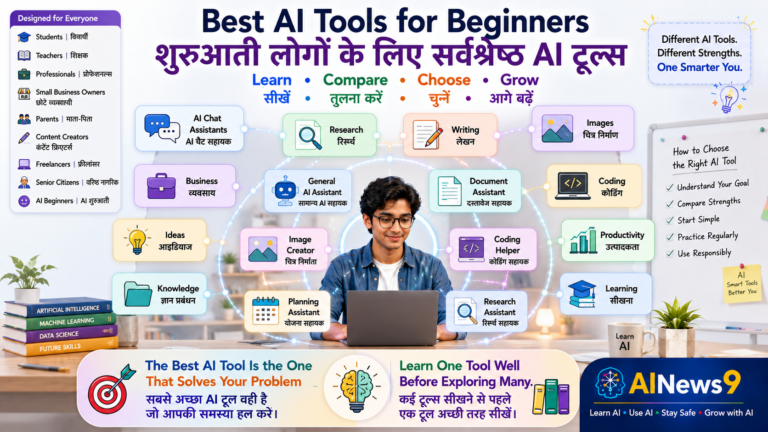
Different AI tools support different aspects of teaching.
| AI Tool | Best Use |
|---|---|
| ChatGPT | Lesson planning, explanations, worksheets, quizzes, presentations |
| Google Gemini | Research, Google Workspace integration, educational content |
| Microsoft Copilot | Productivity, Word documents, PowerPoint, classroom planning |
| NotebookLM | Organizing notes, curriculum documents, lesson summaries |
| Claude | Long-form educational content and writing support |
| Canva Magic Write | Presentation creation and classroom visual materials |
Teachers should choose the tool that best matches their teaching objectives while always reviewing the output before classroom use.
📝 Key Takeaways
Congratulations! You’ve completed another important lesson in your AI teaching journey.
Here are the key ideas to remember:
- ✅ AI is a teaching assistant—not a replacement for teachers.
- ✅ AI can simplify lesson planning, assessments, presentations, and administrative work.
- ✅ Personalized learning becomes easier with AI-assisted content creation.
- ✅ Teachers should always review AI-generated material before classroom use.
- ✅ Student privacy and academic integrity must always be protected.
- ✅ AI should encourage creativity and critical thinking—not dependency.
- ✅ Responsible AI usage helps create engaging, inclusive, and future-ready classrooms.
❓ Frequently Asked Questions
1. Can AI replace teachers?
No.
AI can automate repetitive tasks and support lesson preparation, but it cannot replace the human qualities of teaching such as empathy, mentorship, classroom management, and emotional connection.
2. Is it acceptable to use AI for lesson planning?
Yes.
Many teachers use AI to generate lesson ideas, activities, and worksheets. However, all AI-generated material should be reviewed and customized before use.
3. Which AI tool is best for teachers?
There is no single best tool.
ChatGPT, Google Gemini, Microsoft Copilot, NotebookLM, Claude, and Canva Magic Write each offer different strengths depending on the teaching task.
4. Can AI help teachers save time?
Absolutely.
AI can significantly reduce the time spent on lesson planning, worksheet creation, presentations, administrative work, and assessment preparation.
5. Should teachers allow students to use AI?
Yes—but responsibly.
Teachers should guide students on ethical AI usage, encourage independent thinking, and explain when AI is appropriate and when original work is expected.
6. Is AI suitable for every classroom?
AI can support most educational settings, but teachers should always consider the age, digital literacy, curriculum, and specific needs of their students before introducing AI-based activities.
📚 Trusted Resources for Further Learning
To deepen your understanding of AI in education, explore these trusted educational resources:
- UNESCO – Artificial Intelligence and Education – Learn about ethical AI adoption and global education initiatives.
- Microsoft Learn – Explore AI tools, educator resources, and productivity techniques for classrooms.
- Microsoft Copilot for Education: A Teacher’s Complete Guide
These trusted resources complement this lesson and help educators continue building AI literacy with confidence.
💬 Final Thoughts
Teaching has always been about helping students unlock their potential.
Artificial Intelligence does not change that mission—it strengthens it.
By reducing repetitive work and providing intelligent teaching support, AI allows educators to spend more time doing what only humans can do: inspire curiosity, build confidence, encourage creativity, and shape the future of every learner.
The classrooms of tomorrow will not be led by Artificial Intelligence.
They will be led by teachers who know how to use Artificial Intelligence wisely.
Embrace AI as a partner in education, continue learning, and lead your students confidently into an AI-enabled future.
🎓 Continue Your AI Journey
Continue building your AI teaching skills with these recommended AINews9 lessons.
Learn AI
- L005 – What is ChatGPT?
- L006 – What are AI Agents?
- L007 – What is Prompt Engineering?
- L008 – How Does AI Work?
Use AI
- U001 – How Students Can Use AI Effectively
- U005 – Beginner’s Guide to ChatGPT
- U006 – Beginner’s Guide to Gemini
Stay Safe
- S001 – AI Safety for Beginners
- S005 – AI and Data Privacy
- S006 – Safe Prompting Practices
Grow with AI
- G002 – AI Skills for Professionals
- G006 – Future of Work in the AI Era
Every lesson strengthens your ability to use AI responsibly, effectively, and confidently in education.
🏛️ About AINews9
AINews9 is India’s AI Literacy Platform with a mission to make Artificial Intelligence Simple, Useful & Safe for Every Indian.
Through beginner-friendly lessons, practical guides, AI safety awareness, real-world examples, and responsible AI education, AINews9 empowers:
- 🎓 Students
- 👩🏫 Teachers
- 👨👩👧 Parents
- 💼 Professionals
- 👴 Senior Citizens
- 🏪 Small Businesses
Our four learning pillars guide every lesson:
- Learn AI
- Use AI
- Stay Safe
- Grow with AI
Together, let’s build an AI-literate India—one classroom, one teacher, and one learner at a time.