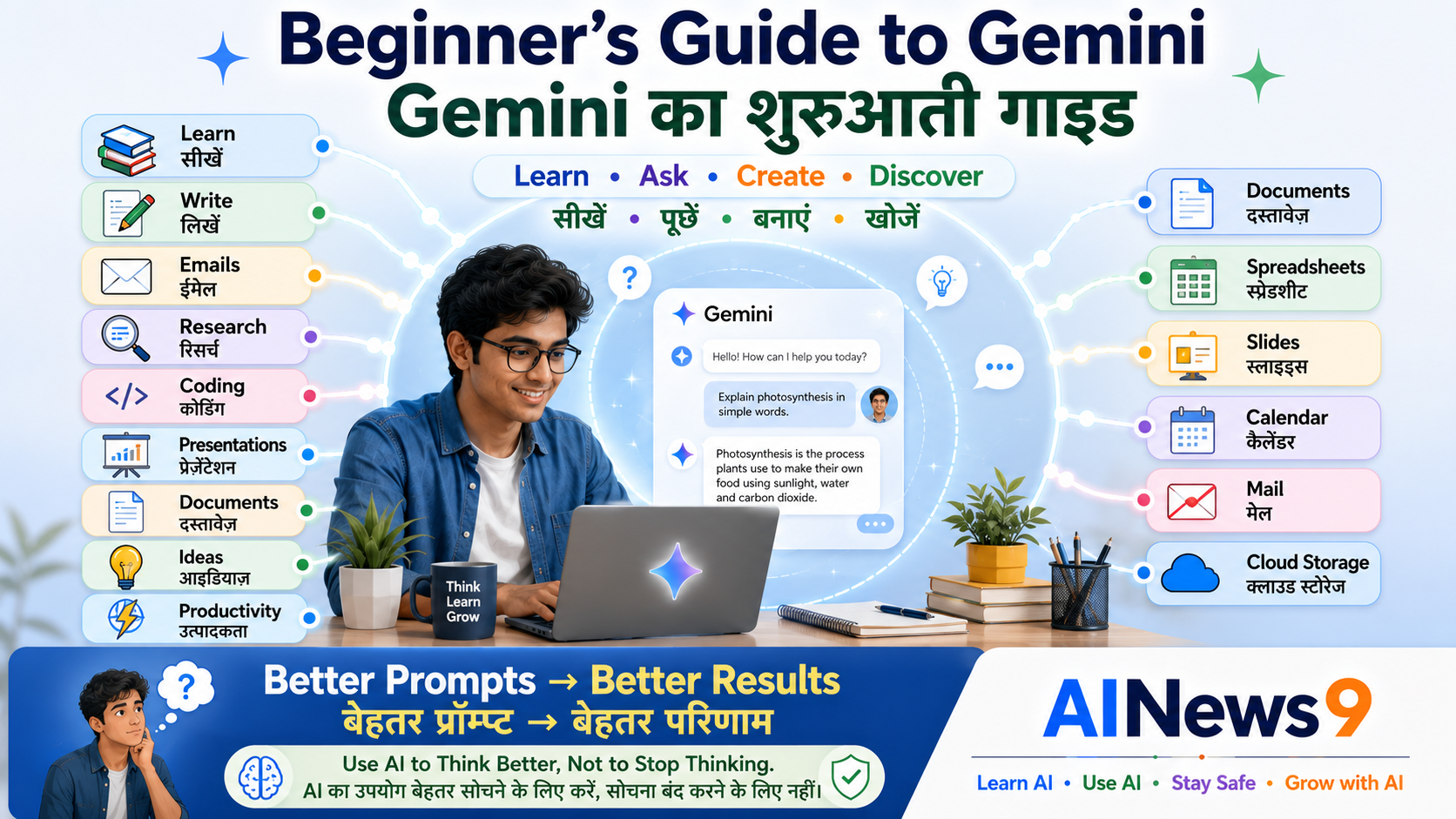
Beginner’s Guide to Gemini: Simple & Practical
A Simple & Practical Guide to Using Google’s AI Assistant for Learning, Work, and Everyday Life
Artificial Intelligence is changing how people search for information, write documents, learn new skills, manage work, and solve everyday problems.
One of the most powerful AI assistants available today is Google Gemini.
Whether you’re a student completing assignments, a teacher preparing lessons, a professional drafting emails, a business owner creating marketing content, or simply someone curious about AI, Gemini can help you work smarter and save valuable time.
The biggest advantage of Gemini is its deep integration with Google’s ecosystem.
If you already use Gmail, Google Docs, Google Drive, Google Sheets, Google Slides, Google Maps, or YouTube, Gemini can become a powerful productivity assistant that fits naturally into your daily workflow.
The best part?
You don’t need any programming knowledge or technical background to start using Gemini.
If you can ask a question in everyday language, you can begin using Google’s AI assistant.
In this practical guide, you’ll learn how to get started with Gemini, understand its unique features, explore practical real-life applications, avoid common beginner mistakes, and use AI safely and responsibly.
Whether you’re learning, working, running a business, or simply exploring Artificial Intelligence, this guide will help you confidently begin your Gemini journey.
👥 Who Should Read This
This guide is designed for:
- 🎓 Students
- 👩🏫 Teachers
- 💼 Professionals
- 🏪 Small Business Owners
- 👨👩👧 Parents
- 👴 Senior Citizens
- 📚 Anyone who wants to start using Google Gemini
No prior AI experience is required.
📖 What You’ll Learn
By the end of this guide, you’ll be able to:
- Understand what Google Gemini is.
- Set up and start using Gemini.
- Use Gemini for learning, work, and daily life.
- Discover Gemini’s integration with Google services.
- Improve productivity with practical AI examples.
- Understand Gemini’s strengths and limitations.
- Use Gemini safely and responsibly.
📚 In This Guide
🚀 What is Gemini? (Quick Refresher)
Gemini is Google’s Artificial Intelligence assistant that understands natural language and responds in a conversational way.
Instead of simply helping you search the web, Gemini can help you:
- Explain complex topics.
- Answer questions.
- Write emails.
- Summarize information.
- Generate ideas.
- Create documents.
- Assist with coding.
- Plan projects.
- Brainstorm solutions.
- Improve productivity.
Like other modern AI assistants, Gemini allows you to have natural conversations rather than relying on short keyword-based searches.
You can ask follow-up questions, request examples, simplify explanations, or explore a topic in greater depth—all within the same conversation.
If you’d like to understand the technology behind AI assistants before learning how to use them, explore these AINews9 lessons:
- L004 – What are Large Language Models (LLMs)?
- L005 – What is ChatGPT?
- L006 – What are AI Agents?
These articles explain the foundations that make modern AI assistants like Gemini possible.
💻 Getting Started with Gemini
Starting with Gemini is quick and straightforward.
If you already have a Google account, you’re only a few steps away from using Google’s AI assistant.
Sign In with Your Google Account
Visit Gemini through your web browser or use the official Gemini mobile application.
Simply sign in with your Google account.
Once you’re signed in, you can immediately begin asking questions and exploring how Gemini can assist you.
Understanding the Gemini Interface
Gemini has a clean and beginner-friendly interface.
You’ll typically find:
- A conversation box where you type your questions.
- Previous chat history.
- Options to start a new conversation.
- Account settings.
- AI response area.
The design is intentionally simple so you can focus on your conversation rather than learning complicated software.
Free vs Paid Versions
Many beginners wonder whether they need a paid subscription.
For most users, the free version provides an excellent introduction to Gemini and supports many everyday tasks.
Paid plans generally include:
- Access to more advanced AI capabilities.
- Higher usage limits.
- Additional productivity features.
- Enhanced integrations with Google Workspace.
If you’re just beginning your AI journey, the free version is usually more than enough to learn and explore.
You can always upgrade later if your personal or professional needs increase.
🌐 Why Gemini is Different
Many AI assistants can answer questions and generate content.
What makes Gemini unique is its close integration with Google’s ecosystem.
Millions of people already use Google services every day.
Gemini is designed to work alongside many of these familiar tools, making it easier to organize information, improve productivity, and streamline everyday tasks.
For example, Gemini can complement the way you work with:
- 📧 Gmail
- 📄 Google Docs
- 📊 Google Sheets
- 📽️ Google Slides
- ☁️ Google Drive
- 🗺️ Google Maps
- ▶️ YouTube
- 🔍 Google Search
Instead of switching between multiple applications, Gemini helps you work more efficiently within the tools you’re already familiar with.
This makes it especially valuable for students, professionals, educators, and business owners who rely on Google services throughout the day.
💡 AINews9 Smart Tip
If you’re already using Gmail, Google Docs, Google Drive, or Google Workspace, learning Gemini can significantly improve your daily productivity without changing the way you work.
💬 Your First Conversation with Gemini
Many people think they need to ask the “perfect question.”
That’s not necessary.
The easiest way to begin is simply to ask a natural question, just as you would ask a knowledgeable colleague.
For example:
You:
“Explain climate change in simple language.”
Gemini responds with a clear explanation.
Now continue the conversation.
Ask:
“Can you explain it with a real-life example?”
Then ask:
“Can you summarize it in five bullet points?”
Or:
“Explain it to a Class 8 student.”
Notice how Gemini continues the conversation while understanding the context of your earlier questions.
Instead of starting over every time, you build on previous responses.
This conversational approach makes learning faster, more interactive, and far more engaging than simply searching for information online.
📈 Practical Ways to Use Gemini
One of Gemini’s biggest strengths is helping people become more productive while working within the Google ecosystem they already use every day.
Whether you’re studying, writing documents, managing projects, creating presentations, or planning a holiday, Gemini can become your everyday AI assistant.
Let’s explore some practical ways to use Gemini.
🎓 Learning and Education
Gemini can become an excellent learning companion for students, teachers, and lifelong learners.
It can help you:
- Explain difficult concepts
- Summarize chapters
- Prepare study notes
- Create revision plans
- Learn new languages
- Solve practice questions
- Understand science and mathematics
- Prepare for interviews and competitive exams
One of Gemini’s advantages is its ability to explain the same topic at different levels of complexity.
For example, you can ask Gemini to explain Artificial Intelligence to:
- A Class 6 student
- A Class 10 student
- A college student
- A business executive
Each explanation can be adjusted to match the learner’s background.
💬 Try This in Gemini
Explain photosynthesis to a Class 8 student using simple language, one real-life example, and a comparison table.
📧 Working Smarter with Gmail
Millions of professionals spend a significant part of their day reading and writing emails.
Gemini can help make email communication faster and more effective.
It can assist you with:
- Writing professional emails
- Replying to customer enquiries
- Summarizing long email conversations
- Improving grammar and tone
- Creating follow-up emails
- Drafting meeting invitations
Instead of spending several minutes writing every email from scratch, Gemini can generate a well-structured first draft that you can review and personalize.
💬 Try This in Gemini
Draft a professional email thanking a customer for their feedback and informing them that their issue will be resolved within two business days.
📄 Creating Better Documents with Google Docs
Writing reports, proposals, articles, or meeting notes often requires time and careful planning.
Gemini can support document creation by helping you:
- Brainstorm ideas
- Create outlines
- Draft reports
- Rewrite paragraphs
- Improve readability
- Summarize lengthy documents
- Generate introductions and conclusions
Rather than replacing your writing, Gemini helps overcome writer’s block and speeds up the drafting process.
Always review and edit AI-generated content to ensure it reflects your own knowledge, style, and objectives.
💬 Try This in Gemini
Create an outline for a five-page report on the benefits of Artificial Intelligence in education, including an introduction, key sections, examples, and conclusion.
📊 Analyzing Data with Google Sheets
Many people find spreadsheets challenging.
Gemini can help simplify spreadsheet-related tasks by explaining formulas, analyzing data, and identifying trends.
It can assist you with:
- Understanding spreadsheet formulas
- Explaining functions
- Summarizing datasets
- Identifying trends
- Creating simple charts
- Improving spreadsheet organization
While Gemini can provide valuable guidance, always verify calculations and business-critical data before making decisions.
💬 Try This in Gemini
Explain how the VLOOKUP function works with a simple business example and suggest when XLOOKUP might be a better choice.
📽️ Preparing Better Presentations
Creating presentations often takes longer than expected.
Gemini can help generate:
- Presentation outlines
- Slide titles
- Speaker notes
- Key discussion points
- Visual ideas
- Summary slides
- Frequently asked questions
Instead of beginning with a blank presentation, you start with a structured draft that you can customize.
💬 Try This in Gemini
Create a 10-slide presentation outline explaining the benefits of Artificial Intelligence for small businesses.
💼 Workplace Productivity
Professionals across different industries use Gemini to improve efficiency and reduce repetitive work.
It can assist with:
- Meeting summaries
- Project planning
- Documentation
- Research
- Business communication
- Brainstorming
- Task prioritization
- Learning new skills
Gemini helps professionals spend less time on routine tasks and more time solving meaningful business problems.
💬 Try This in Gemini
Summarize today’s project meeting into key decisions, pending actions, risks, and next steps in a professional format.
🏪 Supporting Small Businesses
Small business owners often manage multiple responsibilities every day.
Gemini can support businesses by helping create:
- Product descriptions
- Social media content
- Marketing campaigns
- Customer replies
- Quotations
- Business proposals
- Promotional messages
- Business plans
These capabilities allow entrepreneurs to focus more on customers while AI assists with routine content creation.
💬 Try This in Gemini
Write an Instagram post promoting a festive discount for a local clothing store. Keep the tone friendly and encourage customers to visit this weekend.
🏠 Everyday Life
Gemini isn’t just for school or work.
It can also simplify everyday activities.
People use Gemini for:
- Planning holidays
- Creating shopping lists
- Finding recipes
- Learning hobbies
- Budget planning
- Fitness schedules
- Organizing events
- Daily productivity
- Personal learning
These practical applications make Gemini useful for the entire family.
💬 Try This in Gemini
Create a three-day family travel itinerary for Jaipur, including major attractions, estimated expenses, local food recommendations, and travel tips.
🎯 Tips for Better Gemini Responses
You don’t need to become a prompt engineering expert to use Gemini effectively.
A few simple habits can dramatically improve the quality of its responses.
- Clearly explain your objective.
- Provide enough background information.
- Mention who the answer is for.
- Ask follow-up questions.
- Request examples or comparison tables.
- Ask Gemini to simplify or expand its explanation.
- Refine the conversation until the answer meets your needs.
Remember, Gemini performs best when conversations are clear, specific, and interactive.
💡 AINews9 Smart Tip
The best AI conversations are collaborative. Treat Gemini like an intelligent assistant that works with you—not instead of you.
⚠️ Understanding Gemini’s Limitations
Google Gemini is a powerful AI assistant, but like every Artificial Intelligence system, it has limitations.
Understanding these limitations helps you use Gemini more effectively and responsibly.
AI should support your thinking—not replace it.
Gemini Can Make Mistakes
Although Gemini often provides accurate and helpful information, it can occasionally:
- Generate incorrect information.
- Misinterpret complex questions.
- Produce incomplete answers.
- Make calculation mistakes.
- Misunderstand context.
- Present outdated information.
Always verify important information before making decisions related to:
- Health
- Finance
- Legal matters
- Education
- Business
💡 AINews9 Smart Tip
Use Gemini to generate ideas and first drafts, but always rely on trusted sources and your own judgment before making important decisions.
Gemini Doesn’t Replace Human Expertise
Gemini can explain, summarize, organize, and generate ideas.
However, it cannot replace:
- Professional expertise
- Human creativity
- Critical thinking
- Ethical judgment
- Real-world experience
- Personal relationships
The best results come when humans and AI work together.
Protect Your Privacy
When using Gemini, avoid sharing confidential or sensitive information such as:
- Passwords
- Bank account details
- Aadhaar or PAN numbers
- Medical records
- Confidential office documents
- Customer information
- Company secrets
- Legal agreements
Protecting your personal and business information is an essential part of responsible AI usage.
Always Review AI-Generated Content
Gemini can produce impressive drafts in seconds.
However, before using AI-generated content, always check:
- Facts
- Numbers
- Dates
- Names
- Business information
- Grammar
- Tone
- Completeness
A quick review ensures your final work is accurate and professional.
🚫 Common Beginner Mistakes
Many beginners expect AI to do everything automatically.
In reality, better results come from learning how to work with AI effectively.
Here are some common mistakes to avoid.
| ❌ Common Mistake | ✅ Better Practice |
|---|---|
| Asking vague questions | Clearly explain your objective |
| Expecting perfect answers immediately | Continue the conversation and refine the response |
| Believing every answer without verification | Cross-check important information |
| Sharing confidential information | Protect your privacy and business data |
| Using AI without personal review | Edit and personalize every response |
| Stopping after the first answer | Ask follow-up questions for better results |
Remember:
Artificial Intelligence works best when guided by human intelligence.
🌟 Best Practices for Everyday Use
As you continue using Gemini, these habits will help you get consistently better results.
- Start with a clear goal.
- Give Gemini enough background information.
- Ask follow-up questions.
- Request examples when needed.
- Use comparison tables for complex topics.
- Continue conversations instead of starting over.
- Verify important information.
- Keep experimenting with new use cases.
Like any skill, using AI becomes easier with practice.
The more you interact with Gemini, the better you’ll understand how to communicate with it effectively.
📝 Key Takeaways
Congratulations!
You’ve completed your beginner’s guide to Google Gemini.
Here are the most important lessons to remember:
- ✅ Gemini is Google’s conversational AI assistant.
- ✅ It integrates naturally with many Google services.
- ✅ Anyone can begin using Gemini without technical knowledge.
- ✅ Gemini can support learning, work, business, and everyday life.
- ✅ Better conversations lead to better AI responses.
- ✅ Always review and verify AI-generated information.
- ✅ Never share confidential personal or business information with public AI tools.
- ✅ Human judgment remains essential when using Artificial Intelligence.
❓ Frequently Asked Questions
1. Is Google Gemini free to use?
Yes.
Google offers a free version of Gemini that is suitable for most beginners. Paid plans provide additional capabilities, advanced AI models, and enhanced productivity features.
2. Can Gemini replace Google Search?
Not completely.
Google Search helps you discover information from websites, while Gemini explains, summarizes, creates, and discusses information through natural conversations.
Many people use both together.
3. Can Gemini help with school or college studies?
Absolutely.
Students use Gemini to understand concepts, prepare notes, summarize chapters, solve practice questions, and improve learning.
4. Can Gemini write emails and reports?
Yes.
Gemini can draft professional emails, reports, proposals, meeting summaries, presentations, and other business documents.
Always review the final content before using it.
5. Is Gemini suitable for businesses?
Yes.
Small businesses and professionals use Gemini for marketing, communication, planning, documentation, and productivity.
6. Is it safe to share confidential information with Gemini?
No.
Avoid sharing passwords, financial details, confidential business information, customer data, or sensitive personal information with public AI systems.
📚 Trusted Resources for Further Learning
Continue learning from these trusted resources:
- Google AI
- Gemini Help Center
- Google Workspace Learning Center
- Google for Education
- AINews9 Learn AI Series
These resources provide additional guidance and practical knowledge for using Gemini effectively and responsibly.
💬 Final Thoughts
Artificial Intelligence is becoming an important part of how people learn, work, and solve problems.
Google Gemini makes this technology accessible to everyone.
Whether you’re writing emails, creating presentations, learning a new skill, analyzing information, or planning your next project, Gemini can help you become more productive and creative.
The key is not to depend entirely on AI.
The key is to combine AI with your own experience, knowledge, and critical thinking.
Remember:
Gemini doesn’t replace your intelligence—it helps you use it more effectively.
As you continue exploring Artificial Intelligence, your confidence and skills will naturally grow with practice.
🎓 Continue Your AI Journey
Continue building your AI knowledge with these AINews9 lessons.
Learn AI
- L004 – What are Large Language Models (LLMs)?
- L005 – What is ChatGPT?
- L006 – What are AI Agents?
- L007 – What is Prompt Engineering?
Use AI
- U001 – How Students Can Use AI Effectively
- U002 – How Teachers Can Use AI in Education
- U003 – How Professionals Can Use AI at Work
- U004 – How Small Businesses Can Use AI
- U005 – Beginner’s Guide to ChatGPT
Stay Safe
- S001 – AI Safety for Beginners
- S005 – AI & Data Privacy
- S006 – Safe Prompting Practices
Grow with AI
- G001 – AI Skills for Everyone
- G006 – Future of Work in the AI Era
- G008 – AI for Business Growth
Every lesson helps you become a more confident, responsible, and future-ready AI user.
🏛️ About AINews9
AINews9 is India’s AI Literacy Platform with a mission to make Artificial Intelligence Simple, Useful & Safe for Every Indian.
Through beginner-friendly lessons, practical guides, AI safety awareness, real-world examples, and responsible AI education, AINews9 empowers:
- 🎓 Students
- 👩🏫 Teachers
- 👨👩👧 Parents
- 💼 Professionals
- 👴 Senior Citizens
- 🏪 Small Businesses
Our four learning pillars guide every lesson:
- Learn AI
- Use AI
- Stay Safe
- Grow with AI
Together, let’s build an AI-literate India—one learner, one conversation, and one innovation at a time.